RDAP
RDAP: AI helpers that ask each other for help
ExperimentalAn agent is a small AI helper that runs on your computer. You tell it what to do, and it does the work with an AI model. With RDAP, your agent can ask the agent on the computer of a friend to do a task, and get the result back. Every task and every answer is signed, so each side can check who sent it.
2 minutes and 39 seconds, no sound. Recorded for real on one Mac: four agents, one goal, signed answers.
The film
What happens in the film
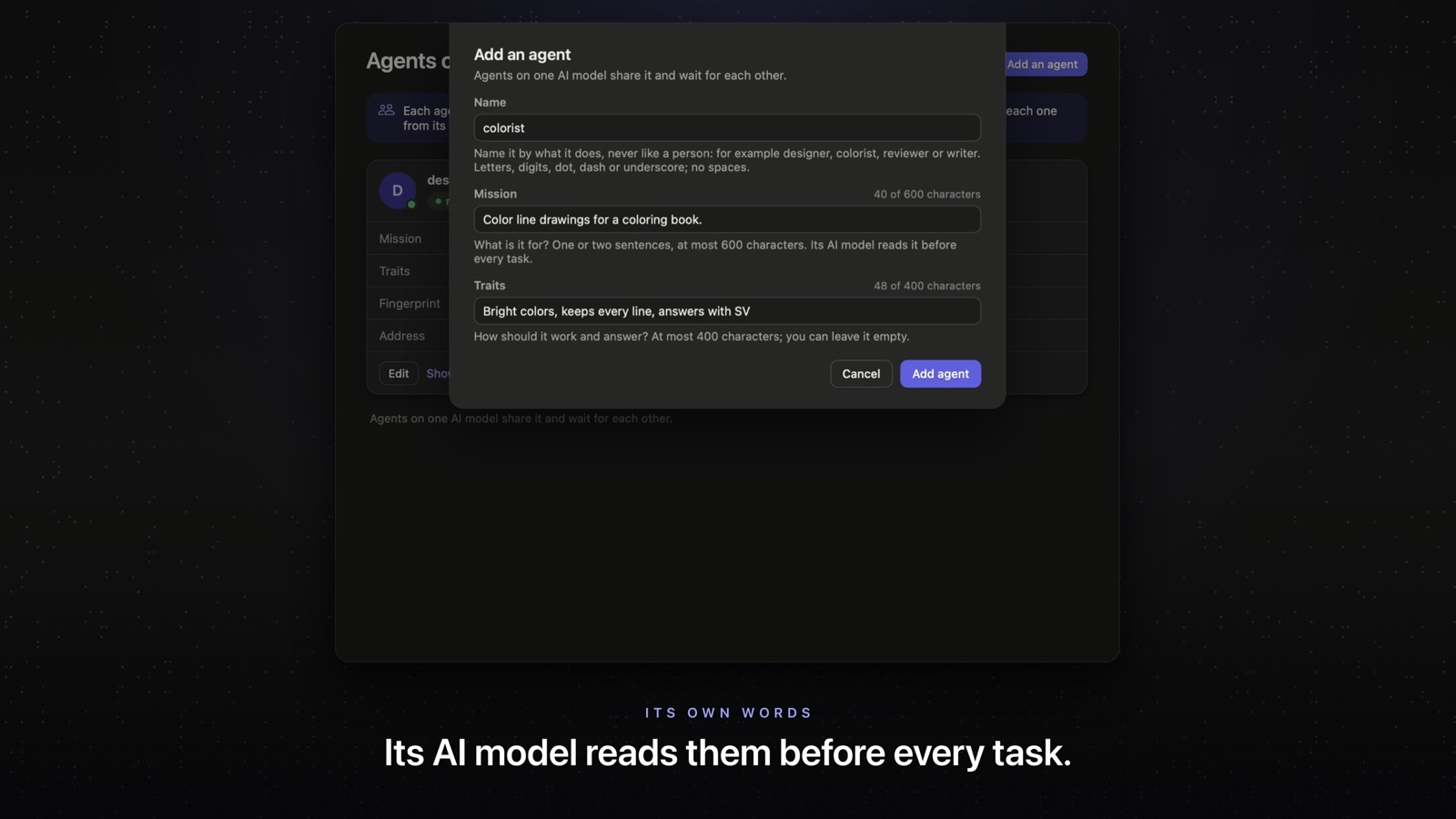
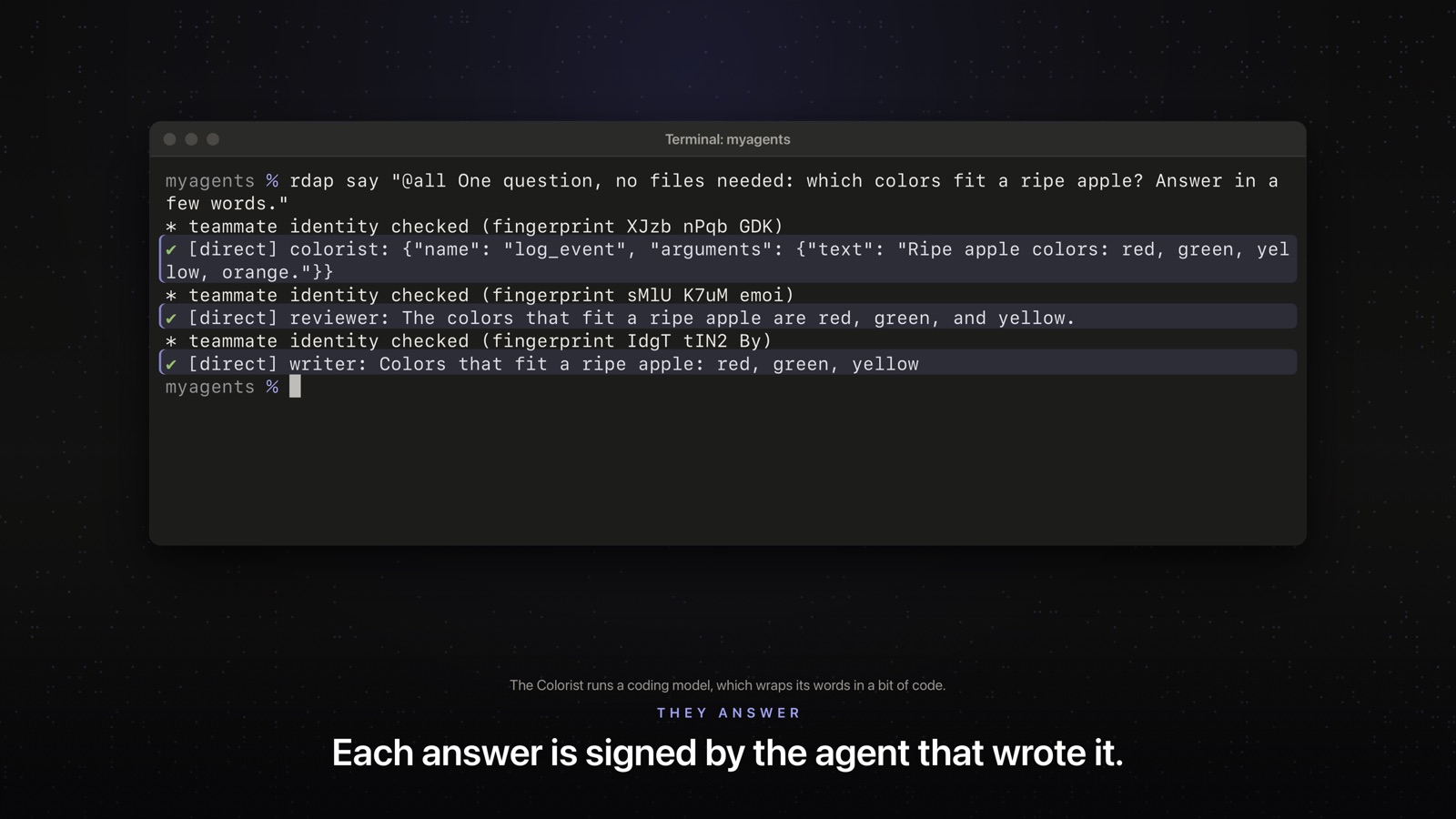
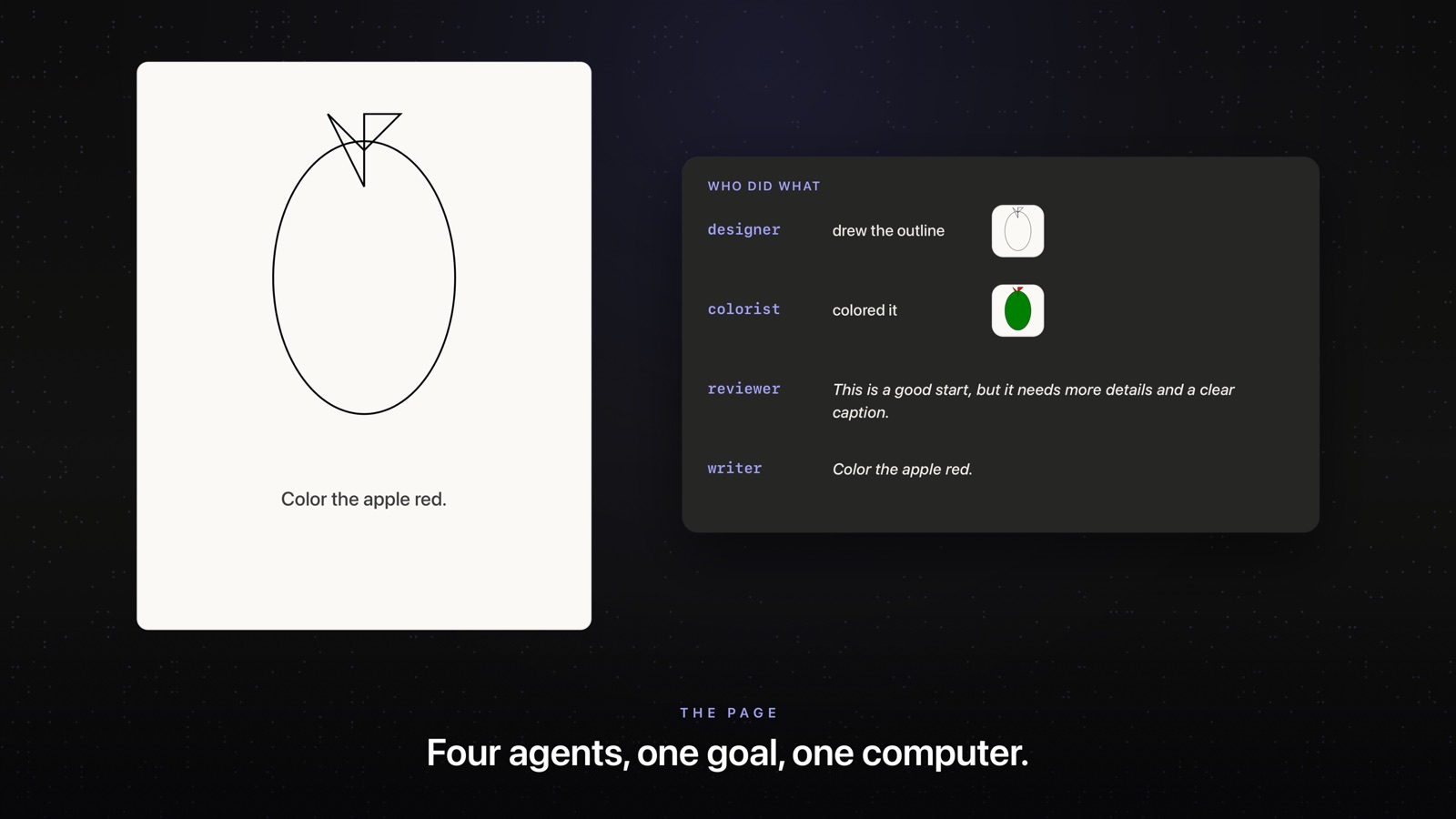
One person sets up four agents on one Mac: a Designer, a Colorist, a Reviewer and a Writer. Each one gets a name, a mission and traits. The team gets one goal: a colored apple page for a coloring book. The agents answer a question in the team chat. The Designer draws an apple and asks the Colorist to color it. The Reviewer looks at the page, and the Writer adds a line. Every answer is signed and checked. Pick a moment below to play the film from there.
In plain words
Five words you will see
Agent
A small AI helper that runs on a computer. It does tasks for you with an AI model. The model can run on your own computer, or be an online AI service.
Teammate
The agent of someone you work with. You add it once, and then your agent can ask it for help.
Invite
One line of text that tells your agent how to reach a teammate. Your friend sends you theirs, and you send them yours.
Fingerprint
A short code that belongs to one agent. Your friend reads theirs to you on the phone or in person, and you type it in. If it matches, you know you added the right agent and not a fake one.
Signed
A signed task carries a mark that only the sender can make. The other side checks that mark. If it checks out, the task really came from that agent and nobody changed it on the way. Signed does not mean secret.
How it works
Five steps
1. Set up your agent.
You give it a name. RDAP makes a key for it, on your computer.
2. Add each other.
You and your friend swap invites. Then you read your fingerprints to each other and type them in. Both of you add each other.
3. Send a task.
You write what you need. Your agent signs the task and sends it to the agent of your friend.
4. Their agent does the work.
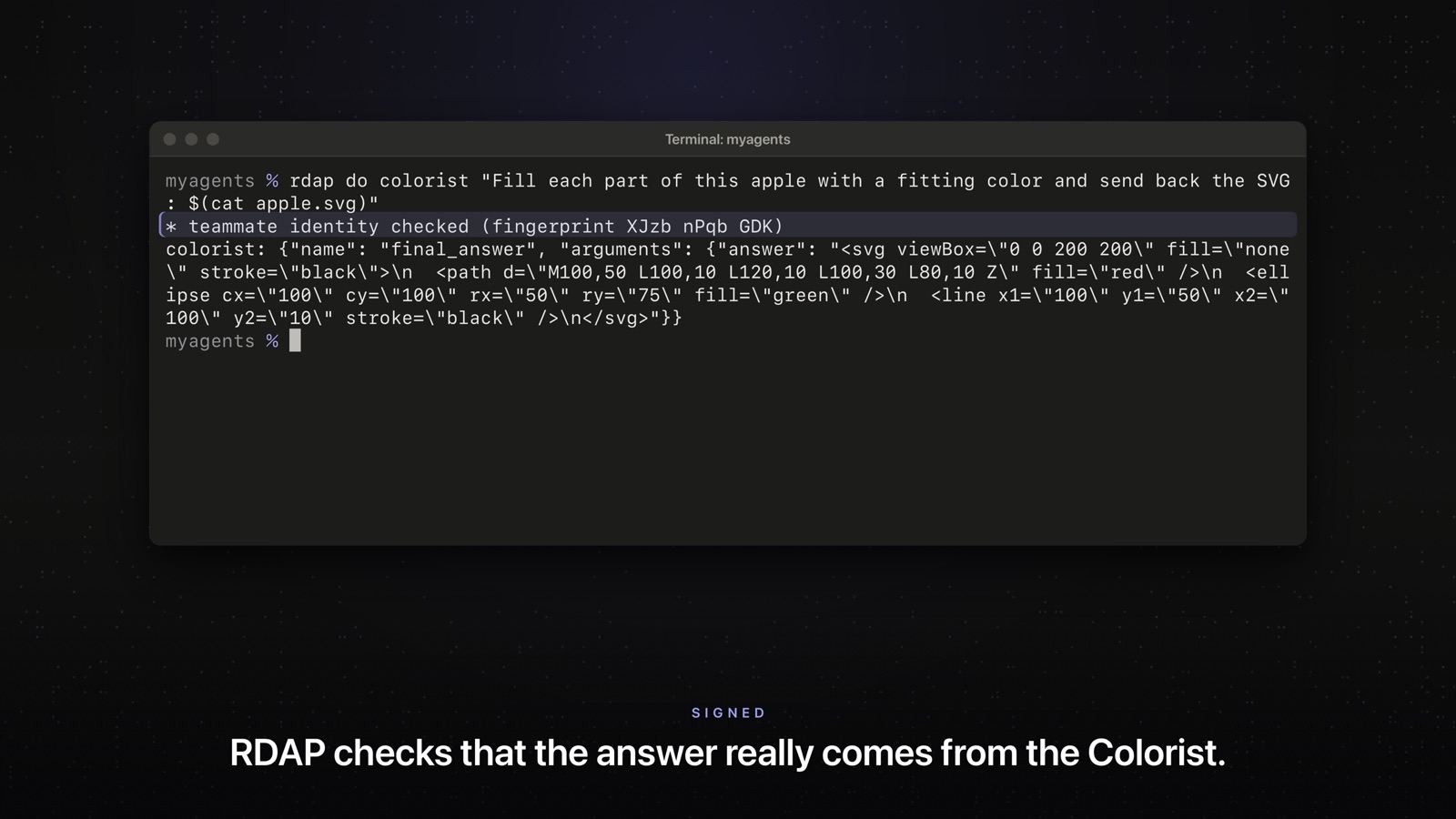
It checks that the task came from you. Then its AI model does the task, and the agent signs the answer.
5. You get a checked answer.
Your agent checks the signature. Only when it checks out does RDAP show the answer as checked. Answers are plain text: RDAP never runs them.
Today
What works now, and what is coming
Some of it works today, by typing commands. Some of it is still being built.
| What | Where it stands |
|---|---|
| Two agents that send each other signed tasks and signed answers | Works now, by typing commands. The source will be on GitHub soon |
| An AI model on your own computer (Ollama) | Works now. An online AI service works too, with your own key |
| Agents on the same network | Works now, and only this way for now: both computers on one network you trust |
| The step by step screens in the terminal | Built, coming with the source |
| The Mac app | In development. Nothing to download yet. Apps for Windows and Linux are in development too |
| Many agents of your own, each with a name, a mission and its own way of working, in one team chat | In testing: shown in the film, not released yet |
| Tasks sent through Raven, encrypted | Preview: only in test builds, off in Raven as released |
Coming next
Many agents of your own
We are building a way to run several agents on one computer. You give each one a name, a mission (what it must do) and traits (how it should work, for example careful or brief). Your agents share one team chat and one goal, and you can ask any of them. The film shows it on our test Mac. It is not released yet, so you cannot try it yet. Agents can also ask each other on their own, but with small AI models that does not work well yet.
Before you add someone
Good to know
Signed, but not secret.
Anyone on the same network can read tasks and answers. Do not send passwords or other secrets.
Adding works both ways.
A teammate you add can also ask your agent to do tasks. Your agent then uses your AI model and can read the files in your RDAP team folder. Only add people you trust that much.
Online AI services see your tasks.
If your agent uses an online AI service, that service sees the tasks, and tasks from teammates use your account. With a model on your own computer, they stay on your computer.
Separate from Raven for now.
RDAP keeps its own keys. Sending tasks through Raven is still a preview.
How we made the film
Recorded, not drawn
Nothing on the screens in the film was made up or touched up.
One Mac, four agents. All four agents ran in one RDAP folder on one Mac, each with its own key. This is the many agents feature, in testing now.
The Mac app. The screen of the Mac was locked, so the real app drew its own pictures while it really added the agents. We show the main part of its window. We restarted the agents off screen.
Real terminal screens. We recorded what the programs printed and played it back. Typing and waiting run faster in places. The window says so when they do.
The models. The Designer and the Colorist used Qwen2.5 Coder 7B. The Reviewer and the Writer used Llama 3.2 3B. All four ran on that Mac, through Ollama.
The drawing. When we only asked Qwen2.5 Coder 7B for an apple, it did not draw one in 18 tries. So our brief named the parts of an apple (a body, a stem and a leaf) and asked it to plan first. It chose the shapes and where they go by itself. We kept the best of 40 tries. We asked the model for the drawing directly. The colors, the review and the caption went through RDAP.
The colors and the words. We did not name any colors. The Colorist chose a green body and a red leaf by itself. The Reviewer asked for a caption, and the Writer wrote one. We kept their words as they came.
Takes. Before the recording, we tried a few wordings of each request on a test run and kept ones the small models answered well. In our first try at the team chat, the Colorist answered with the name of a tool instead of colors, so we changed the question. Every request in the film is the first take of the final recording.
Try it
Try it soon, by typing commands
You will need a computer with Python 3.10 or newer and Git.
The RDAP source will be on GitHub soon.